
Introduction
Software has become an essential part of modern business operations. From managing customer relationships and processing payments to analyzing data and coordinating remote teams, organizations depend on digital tools to remain competitive. However, traditional software often requires expensive installations, dedicated hardware, regular maintenance, and technical expertise. Software as a Service, commonly known as SaaS, offers a more flexible alternative.
SaaS allows users to access software applications through the internet, usually by paying a subscription fee. Instead of purchasing and maintaining software infrastructure independently, businesses can use applications hosted and managed by service providers. This approach makes advanced digital tools accessible to startups, small businesses, growing enterprises, and individual professionals.
Today, SaaS supports a wide variety of activities, including project management, accounting, marketing automation, cybersecurity, human resources, data analytics, and artificial intelligence. Its popularity reflects a broader shift toward cloud-based services that help organizations work efficiently without building every technology system from scratch.
As businesses continue to adopt digital solutions, SaaS is evolving beyond basic online applications. Modern platforms increasingly combine automation, AI-powered assistance, real-time collaboration, and integrated workflows.
Understanding how SaaS works, what benefits it provides, and which challenges businesses should consider can help organizations make better technology decisions.
What Is SaaS?
Software as a Service is a software delivery model in which applications are hosted by a service provider and made available to customers over the internet.
Users generally access SaaS applications through a web browser, desktop application, or mobile app. The provider manages much of the underlying infrastructure, including servers, software updates, and maintenance.
Examples of common SaaS categories include customer relationship management, email marketing, online accounting, cloud storage, team communication, and website development.
For instance, a company that needs customer management software can subscribe to an online CRM platform instead of installing and maintaining a dedicated system on its own servers. Employees can access customer records, update sales opportunities, and collaborate with colleagues through the platform.
Most SaaS providers offer subscription plans with different features, usage limits, and pricing structures. Some also provide free versions, trial periods, or usage-based payment options.
The main idea is simple: businesses can access the software they need without managing the entire technical infrastructure behind it.
How Does SaaS Work?
SaaS applications generally operate through cloud computing infrastructure. The provider hosts the application on remote servers and makes it available to authorized customers through an internet connection.
The process involves several important components.
1. Cloud Hosting
The application runs on infrastructure managed by the provider or its cloud infrastructure partner. This infrastructure includes computing resources, storage, networking, and other technical components.
2. Internet-Based Access
Customers sign in using a browser or compatible application. Depending on the product, users may access their information from different devices and locations.
3. Subscription Management
Customers select a plan according to their needs. Pricing may depend on the number of users, available features, storage capacity, transaction volume, or other usage measurements.
4. Software Maintenance
The provider typically handles application updates, infrastructure maintenance, and technical improvements. Customers generally do not need to install major updates manually, although some configuration and administrative work may still be necessary.
5. Data Storage and Processing
Business information is stored and processed within the provider’s infrastructure according to the platform’s architecture and data policies.
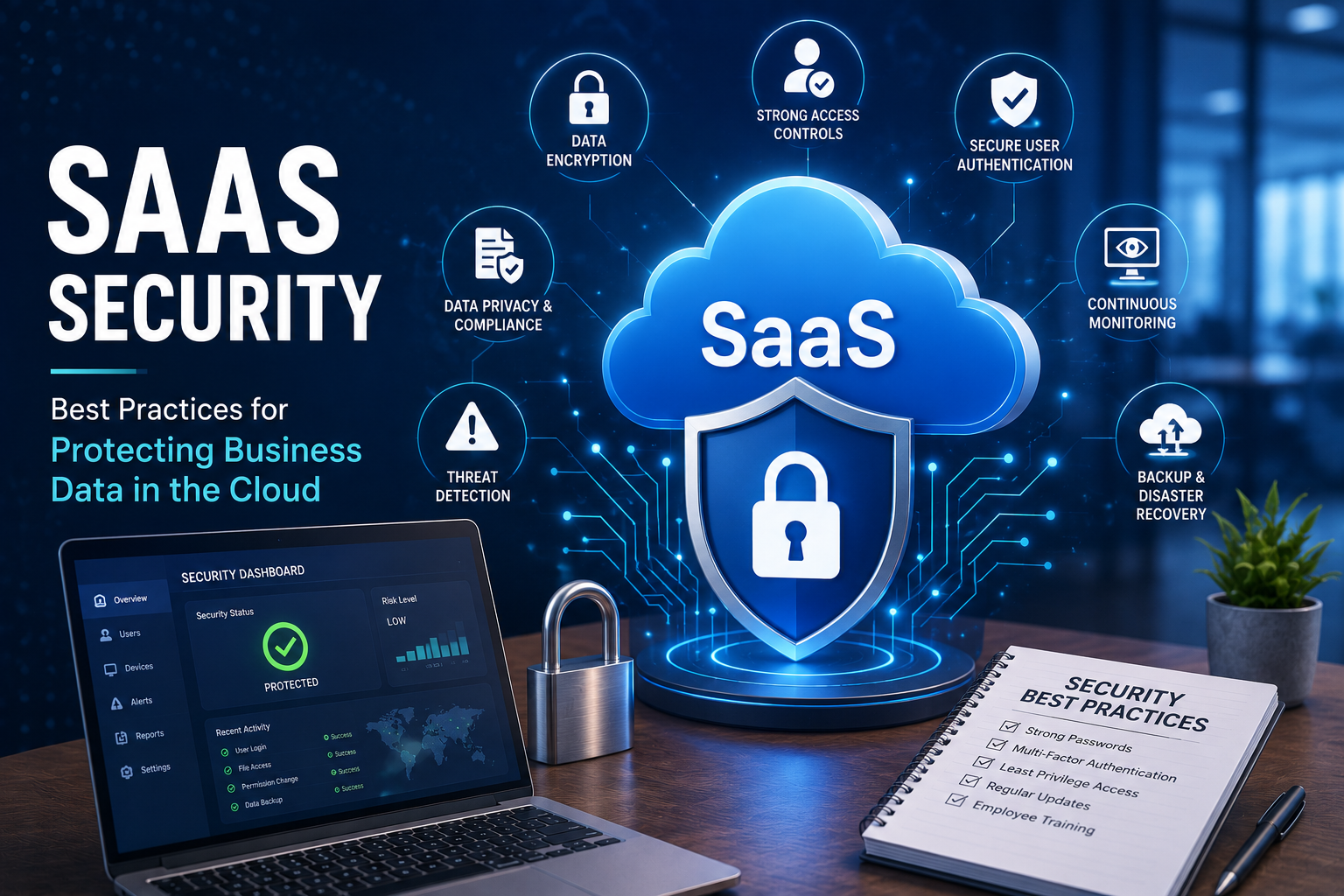
6. Security and Access Controls
Providers may offer encryption, authentication tools, access permissions, monitoring, and backup features. However, the level of protection varies between services, and customers remain responsible for certain security practices.
This model reduces the need for businesses to maintain their own software infrastructure while providing access to applications that can scale with changing requirements.
Why SaaS Has Become Important for Businesses
Organizations face increasing pressure to deliver better customer experiences, reduce operational costs, and respond quickly to market changes.
Traditional software models can make these goals more difficult when they require significant upfront investment or lengthy installation processes.
SaaS addresses many of these challenges by offering flexible access to digital capabilities.
A startup can use an online accounting application without hiring a large IT team. A marketing agency can coordinate projects through a shared workspace. An online retailer can connect customer support, inventory management, and marketing tools through cloud-based integrations.
This accessibility helps organizations experiment with new processes without making large initial infrastructure investments.
SaaS also supports distributed teams. Employees working from different cities or countries can collaborate through shared applications, provided they have suitable internet access and authorized accounts.
Another important factor is continuous product development. Providers can introduce improvements, new integrations, and additional features without requiring every customer to complete a separate installation.
Consequently, SaaS has become an important part of digital transformation strategies across many industries.
Major Benefits of SaaS
1. Lower Initial Investment
Traditional software may require licenses, servers, installation services, and specialized technical resources.
SaaS generally reduces these initial requirements because customers pay for access rather than purchasing and maintaining all the underlying infrastructure themselves.
This can be particularly helpful for small businesses and startups operating with limited budgets.
However, subscription costs should be evaluated over the long term. A service that appears inexpensive initially may become costly as the number of users or required features increases.
2. Flexible Scalability
Business requirements rarely remain constant.
A startup might begin with three employees and eventually expand to a team of fifty. A seasonal retailer may need additional accounts during busy periods.
Many SaaS platforms allow customers to add users, increase capacity, or upgrade plans as their needs change.
This flexibility helps organizations avoid purchasing more infrastructure than they currently require.
Nevertheless, scaling may introduce additional costs, and some platforms impose technical or contractual limitations.
3. Automatic Updates
Software maintenance can consume substantial time and resources.
SaaS providers generally manage application updates, bug fixes, and feature improvements centrally. Customers often receive these changes without installing a new version manually.
This helps organizations use current software while reducing routine maintenance responsibilities.
Businesses should still review important changes because updates can affect workflows, integrations, permissions, or user interfaces.
4. Remote Accessibility
SaaS applications can make it easier for authorized employees to work from different locations.
Sales representatives can update customer records while traveling. Managers can review performance reports remotely. Project teams can share documents and monitor progress without being in the same office.
The precise experience depends on the application, internet availability, device compatibility, and access policies.
5. Improved Collaboration
Many SaaS platforms allow multiple users to work with shared information.
Features such as comments, document sharing, activity histories, notifications, and task assignments help teams coordinate their responsibilities.
Instead of exchanging numerous files through email, employees can often work within a shared digital environment.
This can improve visibility and reduce duplicated work when applications are configured properly.
6. Faster Implementation
Traditional enterprise software deployments may require infrastructure preparation, installation, testing, and specialized configuration.
SaaS products can often be activated more quickly, especially when businesses use standard features.
However, complex implementations involving sensitive information, multiple departments, custom integrations, or regulatory requirements may still require considerable planning.
7. Access to Advanced Technology
SaaS providers can distribute advanced capabilities to organizations that may not have the resources to develop similar systems independently.
Depending on the platform, these capabilities can include predictive analytics, automated reporting, AI-powered content assistance, fraud detection, and workflow automation.
This allows smaller organizations to adopt tools that were previously more difficult or expensive to implement.
Popular Types of SaaS Applications
SaaS covers a broad range of business and personal applications. Understanding the main categories helps organizations identify suitable solutions.
Customer Relationship Management
CRM platforms help businesses manage customer information, sales pipelines, communications, and support activities.
They can provide a centralized view of customer interactions and help sales teams track opportunities.
CRM software is especially valuable for businesses managing large numbers of leads or recurring customer relationships.
Project Management Software
Project management platforms help teams organize tasks, assign responsibilities, establish deadlines, and monitor progress.
Some applications also provide workload planning, time tracking, resource management, and reporting.
These tools are widely used by software developers, marketing agencies, consultants, and remote teams.
Accounting and Financial Management
Cloud-based accounting tools support invoicing, expense tracking, financial reporting, and payment reconciliation.
Depending on the product, they may also provide payroll integration, tax-related reports, and connections with banking services.
Businesses should evaluate data security, regional compliance, and integration capabilities before selecting financial software.
Marketing Automation
Marketing automation platforms help organizations manage email campaigns, customer segmentation, lead nurturing, and campaign analytics.
They can automate repetitive activities, such as sending follow-up emails after a customer completes a specific action.
Effective automation requires accurate customer data and appropriate communication permissions.
Human Resource Management
HR platforms support employee records, recruitment workflows, attendance management, onboarding, and performance reviews.
Some systems also include payroll administration, learning management, and employee self-service features.
These applications can help HR departments organize information and standardize internal processes.
Communication and Collaboration
Online communication tools provide messaging, video meetings, file sharing, and team collaboration features.
They help employees communicate across departments and locations while maintaining access to shared information.
Organizations should establish appropriate policies for notifications, document sharing, and sensitive discussions.
Data Analytics and Business Intelligence
Analytics platforms collect, organize, and visualize information from different sources.
Businesses can use dashboards to examine sales performance, customer behavior, marketing results, and operational efficiency.
Reliable analysis depends on data quality, appropriate permissions, and accurate interpretation of the results.
How AI Is Changing the SaaS Industry
Artificial intelligence is creating new opportunities for SaaS providers to improve their products.
Traditional business software often requires users to perform repetitive tasks manually. AI-powered features can help automate some of these activities and make complex information easier to understand.
For example, customer support platforms may use AI to categorize incoming requests, suggest responses, and summarize conversations.
Sales software can help identify patterns in customer interactions and prioritize potential opportunities.
Project management applications may generate task summaries, identify potential scheduling conflicts, or help teams organize information.
Marketing platforms can assist with content drafts, audience segmentation, and campaign analysis.
AI-powered interfaces may also allow users to interact with software through natural-language instructions rather than navigating multiple menus.
However, AI does not automatically make every SaaS product more useful. Generated information may contain errors, automated decisions may require human review, and sensitive data must be handled carefully.
Businesses should examine how AI features use customer information, whether data is retained for model training, and what controls are available.
The most valuable AI-enabled SaaS products will be those that solve genuine business problems while maintaining reliability, transparency, and appropriate human oversight.
SaaS Pricing Models Explained
Pricing is an important factor when evaluating software subscriptions.
Different providers use different models depending on the nature of their products.
Per-User Pricing: Customers pay according to the number of employees or accounts using the platform. This model is common in collaboration and CRM software.
Tiered Pricing: Providers offer several plans with different feature sets, usage limits, and support options.
Usage-Based Pricing: Customers pay according to measurable consumption, such as transactions, storage, API requests, or processing volume.
Freemium Pricing: A basic version is available at no charge, while advanced features require payment.
Flat-Rate Subscription: Customers pay a fixed recurring amount for a defined package of services.
Hybrid Pricing: Some platforms combine subscription fees with usage-based charges or optional add-ons.
Businesses should calculate the total cost of ownership rather than comparing subscription prices alone.
Additional expenses may include implementation, employee training, data migration, premium support, third-party integrations, and fees for exceeding usage limits.
A careful cost assessment helps prevent unexpected spending as the organization grows.
Common Challenges of SaaS
Although SaaS offers several advantages, it also creates challenges that businesses must manage.
Data Security and Privacy
SaaS applications may process confidential customer information, employee records, financial details, or proprietary business documents.
Organizations should evaluate encryption, access controls, authentication options, incident response procedures, and data retention policies.
Multi-factor authentication and regular permission reviews can reduce the risk of unauthorized access.
Businesses should also understand where their information is stored and which parties may process it.
Internet Dependency
Many SaaS products require reliable internet connectivity.
A network outage can prevent employees from accessing important applications or completing essential tasks.
Organizations can reduce this risk by maintaining backup connectivity, understanding offline capabilities, and preparing contingency procedures.
Vendor Lock-In
Switching software providers can be difficult when applications use proprietary data formats or depend on specialized integrations.
Before committing to a platform, businesses should review export options, migration support, API availability, and contract termination conditions.
An exit strategy is particularly important for applications that store critical operational information.
Subscription Cost Increases
Recurring fees may increase as businesses add employees, purchase premium features, or expand their usage.
Long-term costs should be reviewed periodically to ensure that the software continues to provide sufficient value.
Organizations should also identify unused subscriptions and overlapping tools.
Integration Difficulties
Companies often rely on multiple applications that must exchange information.
If SaaS platforms cannot integrate effectively, employees may need to enter the same data repeatedly or maintain separate records.
Compatibility checks and integration testing should therefore be part of the purchasing process.
Limited Customization
Some SaaS applications offer extensive configuration, while others provide relatively fixed workflows.
Businesses with specialized operational requirements should confirm that the platform can support their processes without excessive workarounds.
How to Choose the Right SaaS Platform
Selecting suitable software requires more than comparing product features.
Organizations should begin by identifying the problem they want to solve and the outcomes they expect to achieve.
The following steps can support a better decision.
1. Define Business Requirements
Identify existing workflow problems, essential features, expected user numbers, and future growth plans.
2. Establish a Budget
Calculate recurring subscription fees and potential implementation, training, integration, and migration costs.
3. Compare Available Products
Evaluate relevant alternatives based on usability, reliability, functionality, customer support, and scalability.
4. Test the Application
Use demonstrations, trials, or pilot projects to understand how the software performs in real working conditions.
5. Review Security Policies
Examine authentication, access permissions, encryption, backup procedures, privacy policies, and available compliance documentation.
6. Check Integrations
Confirm compatibility with existing systems, including accounting software, CRM applications, payment services, and communication tools.
7. Understand Contract Terms
Review renewal conditions, cancellation requirements, service commitments, data ownership, and export options.
8. Train Employees
Provide practical training and clear guidance so employees understand how to use the platform effectively.
9. Measure Results
Track indicators such as time saved, processing speed, error reduction, employee adoption, and overall cost.
These steps help ensure that software purchasing decisions support business objectives rather than simply adding another subscription.
Important SaaS Trends to Watch
The SaaS market continues to evolve as customer expectations and business technology requirements change.
Several developments are particularly important.
AI-Integrated Software
More platforms are introducing AI-assisted search, summarization, automation, and data analysis. Businesses will increasingly need to evaluate the practical value and risks of these capabilities.
Vertical SaaS
Vertical SaaS products are designed for specific industries, such as healthcare, construction, education, hospitality, and retail.
Because they focus on particular industries, these platforms may provide specialized workflows and reporting features that general-purpose tools lack.
Low-Code and No-Code Development
Low-code and no-code platforms help users create applications and automate workflows with limited traditional programming.
They can enable faster experimentation, although complex systems may still require professional development and governance.
Greater Emphasis on Cybersecurity
As organizations depend on more cloud applications, security reviews and access management become increasingly important.
Businesses are paying greater attention to identity controls, security monitoring, data protection, and vendor risk management.
Connected SaaS Ecosystems
Companies are seeking better connections between their business applications.
Integrated platforms can reduce manual data entry and improve visibility across departments, provided that integrations are secure and reliable.
Outcome-Focused Pricing
Some providers are experimenting with pricing structures linked to usage, measurable activity, or specific business outcomes.
These approaches may offer flexibility, but customers should carefully examine how charges are calculated and whether the pricing model aligns with their actual requirements.
The Future of SaaS
The future of SaaS will likely involve more automation, intelligent assistance, industry-specific applications, and connected digital workflows.
Software may increasingly respond to business context rather than simply waiting for users to navigate menus and execute individual commands.
For example, an integrated business platform could help identify an overdue invoice, prepare a reminder, update a customer record, and notify the appropriate employee. Depending on the system, some actions could be automated while others require approval.
AI agents may also help coordinate activities across connected applications. However, reliable permissions, clear accountability, monitoring, and human oversight will remain essential.
Another important development is the growing emphasis on interoperability. Organizations want applications that exchange information efficiently instead of operating as isolated systems.
At the same time, privacy, cybersecurity, regulatory compliance, and software reliability will continue to influence purchasing decisions.
SaaS providers will need to demonstrate that their platforms are secure, dependable, and capable of delivering measurable benefits.
For customers, the future will not simply be about adopting more applications. It will be about choosing the right combination of services to create simpler, more effective business processes.
Conclusion
Software as a Service has transformed how organizations access and manage digital technology. By delivering applications through the internet, SaaS reduces many traditional infrastructure requirements and gives businesses greater flexibility in selecting and scaling their software.
Its benefits include lower initial investment, easier collaboration, centralized maintenance, remote accessibility, and access to advanced capabilities. At the same time, organizations must consider data security, subscription costs, vendor dependency, integration requirements, and contractual obligations.
Artificial intelligence, vertical software, workflow automation, and connected application ecosystems are creating new opportunities for the industry. Businesses that evaluate these developments carefully can improve productivity without adopting technology simply because it is popular.
The most successful SaaS strategy begins with a clear business objective. By selecting appropriate tools, managing subscriptions responsibly, protecting information, and measuring results, organizations can build a technology environment that supports long-term growth.
Ultimately, SaaS is more than a software delivery method. It is an approach to making digital capabilities accessible, adaptable, and increasingly integrated into everyday business operations.