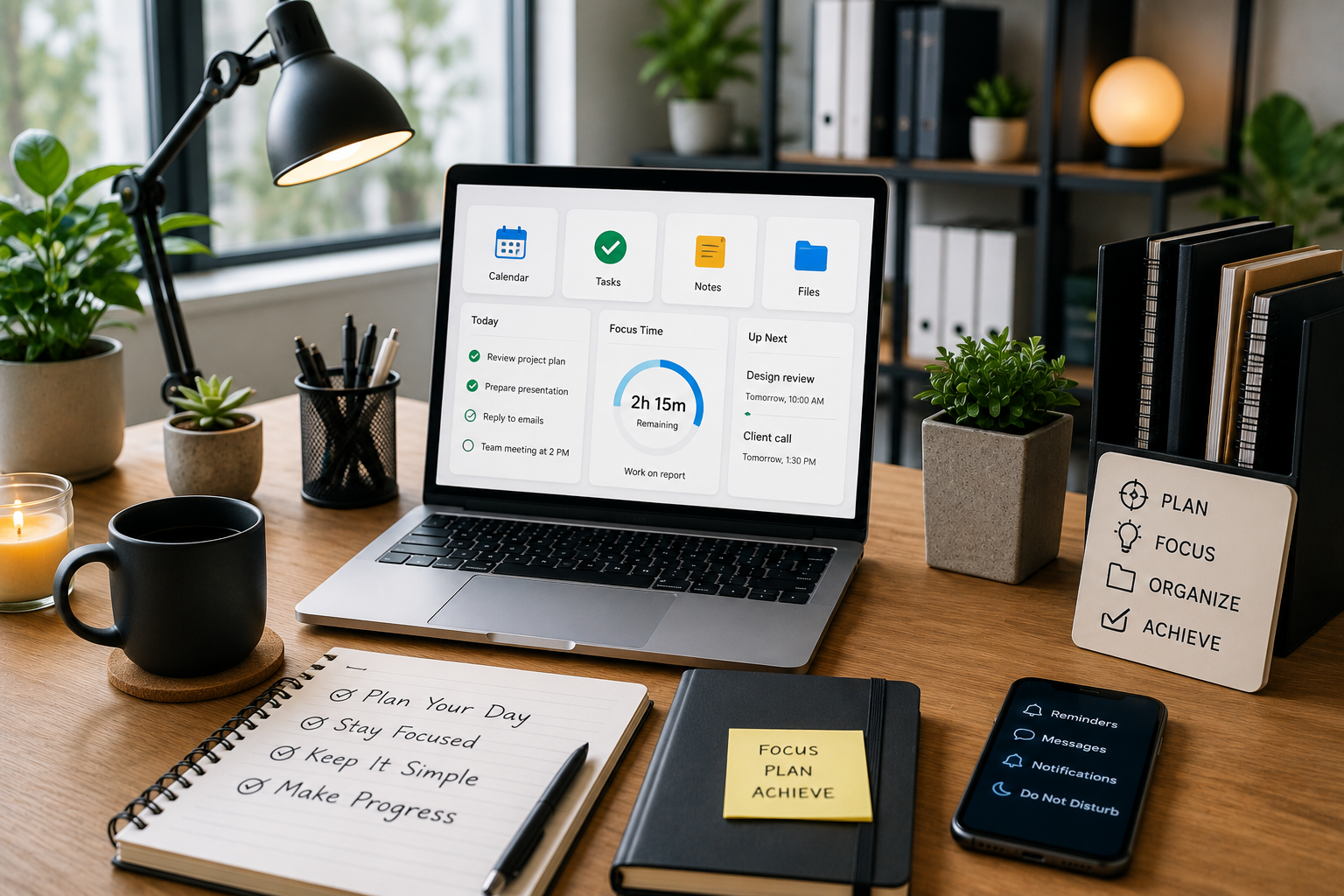
Our workspaces have changed dramatically. A few years ago, productivity was closely associated with a clean desk, a comfortable chair, and an organized filing cabinet. Today, much of our work happens inside laptops, smartphones, cloud platforms, messaging apps, calendars, and countless browser tabs.
A digital workspace can make work faster and more convenient, but it can also become surprisingly chaotic. Dozens of notifications, overflowing inboxes, scattered files, multiple productivity apps, and endless tabs can make it difficult to concentrate.
The solution is not necessarily to download another productivity app. Instead, the goal should be to build a simple digital workspace where everything has a purpose and important information is easy to find.
A well-designed digital workspace can reduce distractions, improve organization, save time, and make it easier to focus on the work that actually matters.
What Is a Digital Workspace?
A digital workspace is the collection of digital tools, applications, files, communication platforms, and systems you use to complete your work.
It might include:
- Calendar
- Task-management software
- Cloud storage
- Note-taking applications
- Communication platforms
- Project-management tools
- Documents and spreadsheets
- Password managers
- AI productivity tools
- Browser extensions
For some people, a digital workspace may consist of only a few applications. For others, particularly professionals and teams, it can include dozens of connected tools.
The important thing is not how many tools you use. It is how effectively those tools work together.
Start by Removing Digital Clutter
Before creating a productive workspace, start by removing unnecessary clutter.
Think of your digital environment in the same way you would think about a physical desk. If your desk is covered with papers, empty cups, old notebooks, and objects you no longer need, finding an important document becomes difficult.
The same thing happens digitally.
Start by reviewing:
- Unused applications
- Old browser extensions
- Unnecessary files
- Duplicate documents
- Unused email subscriptions
- Old downloads
- Desktop shortcuts
- Notifications
- Inactive projects
You do not have to clean everything in one day. Spend 20–30 minutes reviewing your digital environment and remove things that no longer serve a purpose.
A simpler workspace is usually easier to maintain.
Create a Clear File Organization System
One of the most frustrating digital problems is knowing that a file exists but not knowing where it is.
Instead of saving files randomly, create a consistent folder structure.
For example:
Work
- Projects
- Clients
- Reports
- Finance
- Templates
- Archives
Personal
- Documents
- Photos
- Travel
- Household
- Important Records
Within project folders, use predictable naming conventions.
Instead of saving files as:
final.docx
or
newreport2.docx
use descriptive names such as:
Marketing_Report_September_2026
This makes files easier to search and reduces confusion when multiple versions exist.
Keep Your Desktop Simple
Your computer desktop should not become a second downloads folder.
If dozens of files and shortcuts are sitting on the desktop, important information can quickly disappear among the clutter.
A simple desktop might contain only:
- Essential applications
- A small number of frequently used folders
- Current project files, if necessary
Move everything else into an organized folder system.
You can also create an Archive folder for older material that you may need later but do not need to see every day.
The principle is simple: keep frequently used information visible and move everything else out of the way.
Build One Reliable Task System
Many people make the mistake of keeping tasks in multiple places.
One task is written in a notebook, another is in a phone reminder, another is buried in an email, and another is remembered mentally.
This creates unnecessary cognitive load.
Instead, choose one primary task-management system.
It could be a dedicated task-management application, a project-management platform, or even a simple digital checklist.
Whenever a task comes to mind, put it in the same system.
For example:
Today
- Complete report
- Reply to client
- Review presentation
This Week
- Prepare meeting
- Update website
- Organize documents
Later
- Research new software
- Plan next project
Having one trusted task system means you do not have to constantly remember what needs to be done.
Separate Communication From Focused Work
Email and messaging applications are essential for many professionals, but they can also become major sources of distraction.
A notification can interrupt a task that requires deep concentration. Even if the message takes only a few seconds to read, returning to the original task may take much longer.
Instead of checking messages constantly, create specific communication windows.
For example:
9:30 AM: Check email
1:00 PM: Check messages
4:30 PM: Final communication check
You can still respond to urgent matters when necessary, but most notifications do not require an immediate response.
Turning off non-essential notifications can dramatically improve your ability to focus.
Use Your Calendar for More Than Meetings
Many people use their calendar only for appointments and meetings.
A better approach is to use it to protect time for important work.
This method is known as time blocking.
Suppose you have three important tasks to complete. Instead of simply adding them to a to-do list, reserve time for them on your calendar.
For example:
9:00–10:30: Focused project work
10:30–11:00: Email
11:00–12:00: Meeting
2:00–3:00: Research
3:00–3:30: Administrative tasks
This makes your priorities part of your schedule rather than leaving them as intentions.
Remember to leave some flexibility. A calendar packed from morning to evening can become stressful when unexpected tasks appear.
Create a Distraction-Free Browser
Your browser can either support productivity or constantly compete for your attention.
Start by reviewing your open tabs and bookmarks.
Remove websites you rarely use and organize useful bookmarks into folders.
You can create categories such as:
- Work
- Research
- Finance
- Tools
- Frequently Used
- Personal
Consider keeping separate browser profiles for work and personal activities when appropriate.
This creates a psychological boundary between different types of activities and can reduce the temptation to switch between unrelated websites.
Use Cloud Storage Strategically
Cloud storage makes files accessible from multiple devices, but without organization it can quickly become another source of clutter.
Choose one primary cloud-storage system for important documents whenever practical.
Create clear folders and avoid keeping multiple copies of the same file in different locations.
A useful approach is:
Current Projects → Active Files
Completed Projects → Archive
Templates → Reusable Documents
Important Documents → Long-Term Storage
Regularly review large or outdated files and remove unnecessary duplicates.
Make Your Digital Workspace Visually Calm
Productivity is not only about functionality. Your digital environment can also affect how you feel while working.
A cluttered desktop, dozens of browser tabs, constant notifications, and complicated dashboards can create a feeling of being overwhelmed before the work even begins.
Consider creating a visually simple environment.
Use:
- A clean desktop wallpaper
- Minimal shortcuts
- A small number of browser tabs
- Organized application folders
- Simple dashboards
- Consistent naming systems
The objective is to make your digital environment feel calm rather than demanding.
Use AI as an Assistant, Not Another Distraction
AI productivity tools can be extremely useful, but adding too many AI applications can create the opposite of productivity.
Instead, identify specific tasks where AI genuinely saves time.
For example, AI can help with:
- Summarizing lengthy documents
- Creating first drafts
- Brainstorming ideas
- Organizing information
- Turning notes into structured content
- Creating task lists
- Improving written communication
Before adding another AI tool, ask yourself:
What specific problem will this solve?
If the answer is unclear, you probably do not need another application.
Create Digital Boundaries
One of the biggest challenges of digital work is that work can follow you everywhere.
Your laptop is also your entertainment device. Your phone is also your communication center. Your home may also be your office.
Creating boundaries can help.
When possible, establish specific working hours and a clear end-of-day routine.
At the end of your workday:
- Finish or reschedule important tasks.
- Clear unnecessary notifications.
- Close work-related browser tabs.
- Review tomorrow’s priorities.
- Shut down or put away your work device if practical.
This creates a clear psychological transition between work and personal time.
Don’t Try to Optimize Everything
There is a hidden productivity trap called over-optimization.
People can spend hours creating elaborate dashboards, color-coded calendars, complicated databases, and perfectly organized folders without actually completing important work.
A productivity system should support your work, not become the work itself.
If a simple checklist solves your problem, use the checklist.
If three folders are enough, do not create thirty.
If you only need one calendar and one task manager, there is no reason to add five more.
Simple systems are easier to maintain.
Review Your Digital Workspace Regularly
Your digital workspace should evolve as your work changes.
Once a month, spend a short amount of time reviewing your system.
Ask:
- Which tools am I actually using?
- Which applications have become unnecessary?
- Are my files easy to find?
- Are notifications distracting me?
- Do I have too many active projects?
- Is my task system still useful?
- Can anything be simplified?
Remove anything that creates more complexity than value.
Final Thoughts
A productive digital workspace is not about having the latest applications or using dozens of productivity tools. It is about creating an environment where important information is easy to find, tasks are clearly organized, distractions are controlled, and your attention is protected.
Start with the basics: clean up your digital clutter, organize your files, choose one reliable task system, manage notifications, use your calendar intentionally, and create boundaries between focused work and communication.
Once the foundation is in place, you can add specialized tools or AI assistants when they solve a genuine problem.
The best digital workspace is ultimately the one that helps you work with less friction and less mental clutter. Instead of constantly searching for files, checking notifications, switching between applications, or wondering what to do next, you can spend more of your time focused on meaningful work.